Should you learn digital pattern drafting in CLO3D or Adobe Illustrator? It’s one of the most common questions I hear, from sewists here in Denver, Colorado and from online students all over the country. If your goal is to sell your sewing patterns, my answer is CLO3D. I’ve been drafting patterns digitally for more than 10 years (first in Optitex in grad school, then Adobe Illustrator, and now CLO3D), and CLO3D is the program I’d pick if I were starting a pattern business today.
Illustrator isn’t a bad choice, though. I still use it for my print files. The two programs are good at different things, and once you see what each one does well, the choice gets a lot easier.
Christina HadleyDike is a digital pattern drafting educator near Denver, Colorado, who teaches sewists, costume makers and cosplayers to draft patterns in CLO3D so they can sell their own sewing packets on Etsy and Shopify. That’s me! I got my start in theater, and I’ve spent 20+ years making costumes and patterns, including work on Broadway and at theaters across the country. I also hold a master’s in costume technology from Indiana University.
What’s the short answer?
My advice: learn the basics of pattern drafting on paper, then learn CLO3D if you want to sell your patterns.
- Choose CLO3D if you want to draft, test, grade and sell sewing patterns seriously.
- Choose Adobe Illustrator (or Affinity Designer or Inkscape) if you want to digitize patterns for yourself, try digital drafting on a smaller budget, or make simpler pieces.
- Use both if you want CLO3D for drafting and Illustrator for print layout. That’s how I work.
What’s the difference between CLO3D and Adobe Illustrator for pattern drafting?
The biggest difference is that CLO3D was made for clothing, and Illustrator wasn’t.
Adobe Illustrator is a vector drawing program. Designers use it for logos, illustrations and print layouts. Pattern makers borrowed it because it draws clean, precise lines. You can draft a beautiful pattern in Illustrator, but you’re working in 2D only, and every pattern-specific task (walking seams, adding seam allowance, grading sizes) is something you set up yourself.
CLO3D is a garment design program. You draft your pattern pieces in a 2D window, and you see them sewn together on an avatar in a 3D window at the same time. It has tools built for pattern work: seam allowance, seam lengths, grading, and exporting your pattern for printing.
| CLO3D | Adobe Illustrator | |
|---|---|---|
| Built for | Clothing and pattern making | General graphic design |
| 2D drafting | Yes | Yes |
| 3D fit preview | Yes, on an avatar | No |
| Seam allowance | Built-in tool | You build it yourself |
| Grading sizes | Built-in grading tools | Done by hand, point by point |
| Print layout | Exports to PDF | Very strong, great for tiled and A0 files |
| Cost | $50/month or $450/year (student plan: $25/month or $225/year) | $22.99/month |
| Computer needs | Needs a capable computer | Runs on most computers |
When is Adobe Illustrator, Affinity Designer or Inkscape enough?
Illustrator, Affinity Designer and Inkscape are enough when you’re drafting for yourself, digitizing patterns you already have, or making simpler shapes. I teach some of this, and I love it. Drafting a tiered skirt, a waistband or a tote bag in Affinity Designer is a fun, low-pressure way to get comfortable working on a screen.
These programs are a good fit if:
- You want to store and edit your paper patterns digitally
- You’re sewing for yourself, your family or a costume project
- You want to try digital drafting before you invest in more software
- Your patterns are mostly simple shapes, like bags, skirts, stockings or accessories
Where they start to struggle is when you want to sell. Selling means your pattern has to fit people you’ll never meet, in a range of sizes you didn’t sew. That’s a lot to check by hand in a drawing program.
Why do I recommend CLO3D if you want to sell your sewing patterns?
I recommend CLO3D to anyone who wants to sell their patterns, because it’s built for the parts of selling that take the most work. Lots of people want to learn in Illustrator, Affinity Designer or Inkscape, and you can. But if you want to become a serious digital pattern maker, it pays to invest in a program made for patterns.
When I’m getting a pattern ready to sell, these are the things I lean on CLO3D for:
- You can see the garment before you cut fabric. You sew your pieces together on the avatar and spot problems early, like a sleeve that twists or a hem that pulls.
- Grading is built in. You can grade one pattern into a full size range inside the program instead of moving every point by hand.
- Seams are easier to check. You can compare seam lengths and true your pattern so pieces match up at the machine.
- Exporting is part of the workflow. You can export print-ready files to turn into a sewing packet for Etsy or Shopify.
One thing I always tell students: the avatar makes almost anything look like it fits. CLO3D won’t catch every mistake for you. You still need to double-check everything (every measurement, every seam, every grade) and sew a real sample before you sell.
Do I need to know paper pattern drafting before I learn CLO3D?
You don’t strictly need paper pattern drafting before you learn CLO3D, but I strongly recommend it. Paper teaches you proportion and scale in a way a screen can’t. When you’ve drafted a bodice by hand, you know what 1/2 inch looks like, and you notice when a line on your screen is off.
Going digital means two learning curves at once: the software and the pattern making. If you already know the pattern making, you only have to learn the software. Your paper skills are your secret weapon here. Every tool you use on paper has a digital version.
Can I use CLO3D and Illustrator together?
Yes, you can use CLO3D and Illustrator together, and it’s how I work. I draft, fit and grade in CLO3D. Then I export my pattern to Illustrator to set up clean print boards for letter, A4, A0 and projector files. That way, each program does the job it’s best at. I show my whole process in How I Print and Cut My CLO3D Patterns for Real Garments.
How do I decide between CLO3D and Illustrator?
Here’s how I’d walk a student through this choice.
- Name your goal. Are you drafting for yourself, or do you want to sell? If you want to sell, lean toward CLO3D.
- Check your paper skills. Can you draft a basic bodice, skirt or pants sloper by hand? If not, start there, or learn alongside someone who’ll teach the pattern making and not only the buttons.
- Check your computer. CLO3D needs more power than Illustrator. Compare your computer to CLO3D’s current system requirements.
- Try before you buy. CLO3D gives you your first 14 days free, so use them to open the program and draft one simple piece. I made a short course called CLO3D Quick Start to pair with those 14 days, so you spend your trial drafting instead of hunting for tools.
- Pick one first project. Choose something simple, like a skirt or a pair of arm warmers. One finished pattern teaches you more than ten half-started ones.
- Get support. CLO3D has a learning curve. Having someone to answer your questions makes a big difference, especially when you’re stuck at 10 p.m. after your day job.
What mistakes do people make when choosing pattern drafting software?
These are the mistakes I see most often:
- Choosing on price alone. The cheapest program can cost you more in time if it can’t do what you need, like grading.
- Skipping the paper basics. Without them, it’s hard to tell if a digital line is wrong.
- Trusting the 3D avatar too much. It can make a pattern look perfect when the measurements are off. Double-check everything.
- Learning the software and pattern making at the same time, alone. That’s two learning curves, and most people stall.
- Thinking you have to pick one forever. Many pattern makers use more than one program.
- Waiting until you feel ready. Honestly, most of us never feel ready. Start with one small pattern and learn as you go.
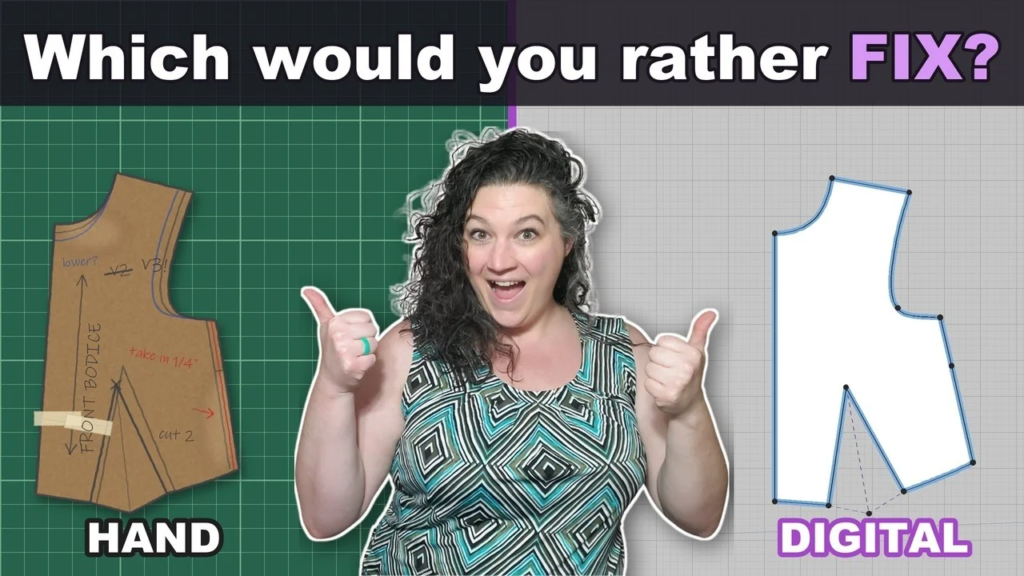
Still deciding between drafting by hand and going digital at all? I break down the pros and cons in Hand vs Digital Pattern Making: Which Is Right for Your Sewing Business?
What does this look like in real life?
A student who’s now selling on Etsy. One of my students worked hard to learn CLO3D and built several costumes in it. She exported three patterns and finished two as full sewing packets. She listed both on Etsy and has made sales on both. She’s holding the third back to make a few more changes, because you always want to put out your best work when you’re selling. That’s the process: build, tweak, build, tweak.
A sewist who only wants to digitize her own patterns. Say you’ve drafted on paper for years and want your patterns stored digitally so they’re easy to edit and print. You don’t plan to sell. In that case, Affinity Designer or Illustrator is a great place to start, and you can move to CLO3D later if you change your mind.
Results vary based on each student’s effort, experience and time.
How much does it cost to start digital pattern drafting?
The cost to start digital pattern drafting depends on the software and the help you choose:
- CLO3D: $50/month or $450/year for the individual plan. If you’re a student, the student plan is $25/month or $225/year.
- Adobe Illustrator: $22.99/month on its own, or $69.99/month for the full Creative Cloud. See Adobe’s current plans.
- Affinity Designer: free
- Inkscape: free
- A capable computer if yours can’t run CLO3D
Whether you’re learning in Denver, Colorado or anywhere online, the software is only part of the cost. The bigger cost is your time, and good guidance saves you a lot of it.
Frequently asked questions
Should I learn CLO3D or Adobe Illustrator first?
If you want to sell your patterns, learn CLO3D first rather than Adobe Illustrator, as long as you already know basic pattern drafting on paper. If you’re new to digital tools and drafting only for yourself, Illustrator or Affinity Designer is a gentler first step.
Is CLO3D hard to learn?
Learning CLO3D takes some time, especially the 3D side. It’s much easier when you already understand pattern drafting and have someone to walk you through the tools.
Can I sell sewing patterns I make in Adobe Illustrator?
Yes, you can sell sewing patterns you make in Adobe Illustrator, and lots of pattern makers do. The trade-off is that fit testing and grading take more manual work, so it’s harder to offer a wide size range with confidence.
Can I use Affinity Designer or Inkscape instead of Illustrator?
Yes, you can use Affinity Designer or Inkscape instead of Illustrator. Both draw precise vector lines, and both work well for drafting and digitizing patterns. They have the same limits as Illustrator: no 3D fit preview and no built-in grading.
Do I need a powerful computer for CLO3D?
Yes, you’ll need a more powerful computer for CLO3D than you would for Illustrator, because CLO3D runs 3D simulations. Check CLO3D’s current system requirements before you buy.
Can I learn CLO3D pattern drafting online if I’m not in Denver?
Yes, you can learn CLO3D pattern drafting online from anywhere, not only in Denver. I’m based near Denver, Colorado, but I teach online, and my students are all over the U.S.
Ready to start drafting in CLO3D?
If you already draft on paper and you’re ready to draft, grade and sell your own patterns in CLO3D, the Digital Pattern Drafting Academy is where I’ll walk you through it step by step. We meet in live office hours every week. Wherever you’re stuck, we work through it together, and if students want to go deeper on a topic, that month’s training shifts to cover it.
“No matter what I’m working on, you will pivot and answer any questions.” (Christina C., Academy student)
Not sure which program fits you yet? Grab my free Start Digital Pattern Drafting Starter Pack. It compares the software options and includes a quiz to help you choose: Get the free Starter Pack
Learn about the Digital Pattern Drafting Academy
Let’s get this party started!
Christina HadleyDike is a digital pattern drafting educator near Denver, Colorado, who teaches sewists, costume makers and cosplayers to draft patterns in CLO3D so they can sell their own sewing packets on Etsy and Shopify. Learn more at creativehadleydike.com.